Underwater audio in Three.js
When the camera dips below the surface, the bright rush of spray should give way to a low wash. Use the camera’s depth to close a Web Audio low-pass filter over the sound that should muffle.
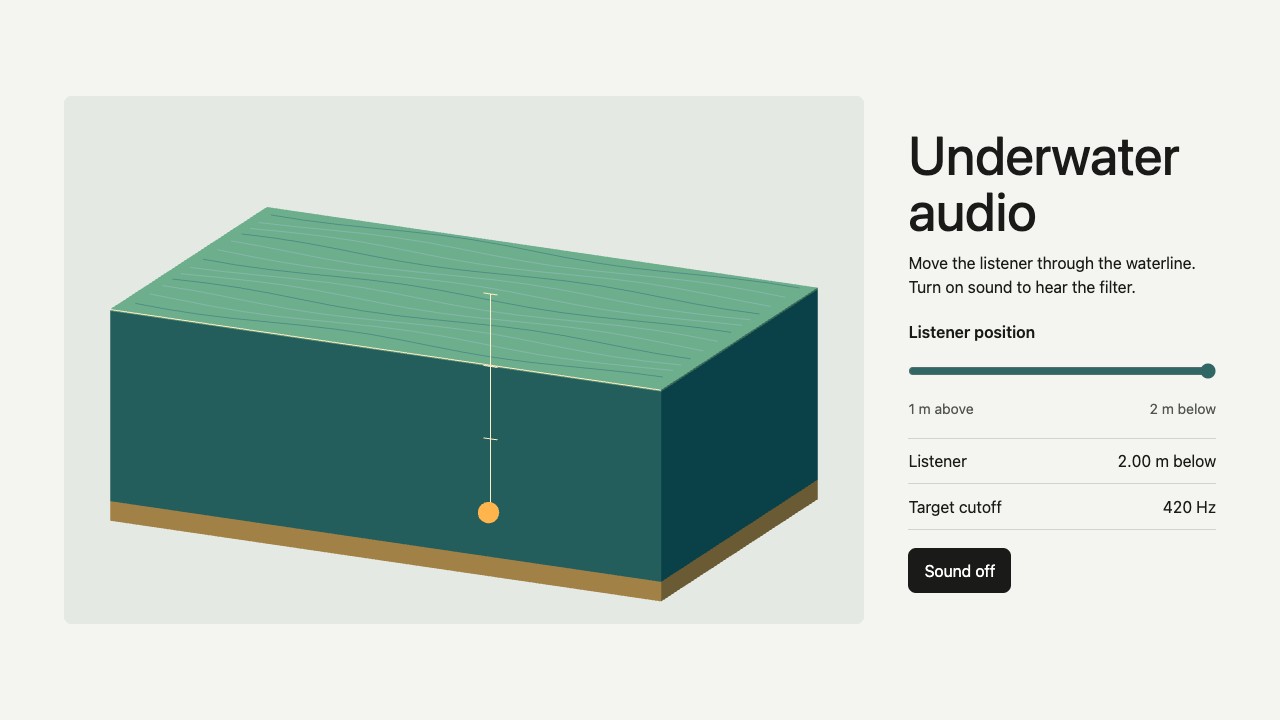
Hear the crossing
Turn on sound, then move the slider slowly through the waterline. Listen for the hiss dropping into a softer rumble while the same loop keeps playing. The depth and target cutoff update with sound off too. Run the underwater audio example
Find the listener’s depth
Read the camera’s world Y before subtracting it from the water surface’s world Y. Use getWorldPosition() if the camera sits inside a player rig. In the example, the plane is at zero and the depth is positive underwater. The angle you look from has no effect on what you hear. Three.js world position
For a moving ocean, sample the surface at the listener’s X and Z on the same simulation step as the water. That way, a passing wave crest can cover the listener even when the camera’s height stays the same. Use a sample in world coordinates so it shares the camera’s vertical origin. Tidewater underwater rendering
Ease the cutoff
A low-pass filter attenuates higher frequencies as the cutoff comes down. Here, the cutoff moves from 12,000 Hz in air to 420 Hz at 65 cm below the surface. smoothstep() eases the start and end of that range, then the exponential mapping covers a fraction of the frequency ratio for each fraction submerged. Halfway through the blend, the cutoff is about 2,245 Hz. Web Audio filter types
const depth = surfaceY - listenerY;
const submerged = THREE.MathUtils.smoothstep(depth, 0, 0.65);
const targetHz = 12000 * Math.pow(420 / 12000, submerged);
lowpass.frequency.setTargetAtTime(targetHz, context.currentTime, 0.065);
setTargetAtTime() moves the cutoff towards the target on the audio clock. That last number is the time constant in seconds. After 65 ms the filter has covered about 63% of the remaining change, so the readout shows where the cutoff is headed as you move the slider. AudioParam scheduling
Start sound on a click
Create or resume the audio context inside the button’s click handler. The example builds its own noise loop so there’s nothing to download or decode. It feeds the loop through the filter and then a gain node, which fades to zero when you switch sound off. In a game, use a dedicated filter for the sounds you want affected. Route menus and other sounds you want to keep clear around it. Chrome’s Web Audio autoplay policy
Copy the example
Save the code as an HTML file and serve it over HTTP. It loads Three.js r184 from a CDN. The cross-section draws when you move the slider or resize the window. Web Audio keeps the loop going between renders.
Full example source
<!doctype html>
<html lang="en">
<head>
  <meta charset="utf-8">
  <meta name="viewport" content="width=device-width, initial-scale=1">
  <meta name="robots" content="noindex,follow">
  <title>Underwater audio example</title>
  <link rel="icon" href="data:,">
  <style>
    * { box-sizing: border-box; }
    body { margin: 0; background: #f4f4f0; color: #1a1a18; font: 1rem/1.5 system-ui, sans-serif; }
    main { min-height: 100svh; display: grid; align-items: center; max-width: 1380px; margin: auto; padding: clamp(1.25rem, 5vw, 5rem); }
    .layout { display: grid; grid-template-columns: minmax(0, 2.6fr) minmax(16rem, 1fr); gap: clamp(1rem, 3.5vw, 3rem); align-items: center; }
    .view { min-width: 0; background: #e4e9e3; border-radius: 8px; overflow: hidden; }
    canvas { display: block; width: 100%; height: auto; }
    h1 { margin: 0 0 .7rem; font-weight: 450; line-height: 1.05; font-size: clamp(2.3rem, 4.2vw, 4.3rem); }
    p { margin: 0 0 1.35rem; }
    label { display: block; font-weight: 600; }
    input { display: block; width: 100%; margin: .3rem 0; min-height: 44px; accent-color: #306765; }
    .limits, .reading { display: flex; justify-content: space-between; gap: .5rem; }
    .limits { font-size: .88rem; color: #515650; }
    dl { margin: 1.15rem 0; border-top: 1px solid #cfd5cb; }
    .reading { padding: .65rem 0; border-bottom: 1px solid #cfd5cb; }
    dd { margin: 0; text-align: right; font-variant-numeric: tabular-nums; }
    button { min-height: 44px; padding: .65rem 1rem; border: 0; border-radius: 8px; background: #1a1a18; color: #fff; font: inherit; cursor: pointer; }
    button[aria-pressed="true"] { background: #306765; }
    button:disabled { cursor: default; opacity: .65; }
    :focus-visible { outline: 2px solid #1f5550; outline-offset: 4px; }
    .status { margin-top: .5rem; color: #515650; }
    .status:empty { display: none; }
    @media (max-width: 740px) {
      .layout { grid-template-columns: 1fr; }
      h1 { margin-bottom: .45rem; }
      .panel > p:not(.status) { margin-bottom: .8rem; }
      dl { margin-block: .85rem; }
    }
  </style>
</head>
<body>
  <main>
    <div class="layout">
      <div class="view" id="view"></div>
      <section class="panel" aria-labelledby="title">
        <h1 id="title">Underwater audio</h1>
        <p>Move the listener through the waterline. Turn on sound to hear the filter.</p>
        <label for="position">Listener position</label>
        <input id="position" type="range" min="-1" max="2" step="0.05" value="-0.6">
        <div class="limits" aria-hidden="true"><span>1 m above</span><span>2 m below</span></div>
        <dl>
          <div class="reading"><dt>Listener</dt><dd><output id="location" for="position">0.60 m above</output></dd></div>
          <div class="reading"><dt>Target cutoff</dt><dd><output id="cutoff" for="position">12,000 Hz</output></dd></div>
        </dl>
        <button id="sound" type="button" aria-pressed="false">Sound <span id="sound-state" aria-hidden="true">off</span></button>
        <p class="status" id="status" role="status"></p>
      </section>
    </div>
  </main>
  <script type="module">
import * as THREE from "https://cdn.jsdelivr.net/npm/three@0.184.0/build/three.module.js";

const surfaceY = 0;
const scene = new THREE.Scene();
scene.background = new THREE.Color(0xe4e9e3);
const view = document.getElementById("view");
const slider = document.getElementById("position");
const location = document.getElementById("location");
const cutoff = document.getElementById("cutoff");
const sound = document.getElementById("sound");
const soundState = document.getElementById("sound-state");
const status = document.getElementById("status");

// This camera is the listener. A second camera shows its position from the side.
const listener = new THREE.PerspectiveCamera();
listener.position.set(1.55, 0, 2.52);
scene.add(listener);
const marker = new THREE.Mesh(
  new THREE.SphereGeometry(0.14, 24, 12),
  new THREE.MeshBasicMaterial({ color: 0xffb44c })
);
listener.add(marker);
const overview = new THREE.OrthographicCamera(-5.25, 5.25, 3.465, -3.465, 0.1, 50);
overview.position.set(5.4, 3.25, 11.4);
overview.lookAt(0, -0.85, 0);

const sun = new THREE.DirectionalLight(0xffe2a7, 3);
sun.position.set(-4, 7, 5);
scene.add(sun, new THREE.HemisphereLight(0xf6fff5, 0x9e9d6f, 1.7));

const depth = 2.65;
function slab(width, height, length, color, x, y, z) {
  const mesh = new THREE.Mesh(
    new THREE.BoxGeometry(width, height, length),
    new THREE.MeshStandardMaterial({ color, roughness: 0.82 })
  );
  mesh.position.set(x, y, z);
  scene.add(mesh);
  return mesh;
}
slab(8, 0.27, 4.8, 0xad9262, 0, -depth - 0.135, 0);
const skin = 0.025;
slab(8, depth - skin, 4.8, 0x186980, 0, -(depth + skin) / 2, 0);
const top = slab(8, skin, 4.8, 0x63a89f, 0, -skin / 2, 0);
top.material.roughness = 0.45;

for (let i = 0; i < 13; i++) {
  const points = [];
  for (let j = 0; j <= 16; j++) {
    const x = -3.8 + j * 0.475;
    const z = -2.18 + i * 0.35 + Math.sin(x * 1.4 + i) * 0.1;
    points.push(new THREE.Vector3(x, 0.008, z));
  }
  const geometry = new THREE.BufferGeometry().setFromPoints(points);
  const tint = i % 3 ? 0x84b7a9 : 0x508e85;
  scene.add(new THREE.Line(geometry, new THREE.LineBasicMaterial({ color: tint })));
}

// The front seam and vertical ticks make the listening position easy to read.
const guideMaterial = new THREE.LineBasicMaterial({ color: 0xffefc8 });
function guide(from, to) {
  const geometry = new THREE.BufferGeometry().setFromPoints([
    new THREE.Vector3(...from), new THREE.Vector3(...to)
  ]);
  scene.add(new THREE.Line(geometry, guideMaterial));
}
guide([-4, 0, 2.415], [4, 0, 2.415]);
guide([1.55, -2, 2.46], [1.55, 1, 2.46]);
for (const y of [-2, -1, 0, 1]) guide([1.45, y, 2.46], [1.65, y, 2.46]);

let renderer;
try {
  renderer = new THREE.WebGLRenderer({ antialias: true });
  renderer.setPixelRatio(Math.min(window.devicePixelRatio, 2));
  renderer.domElement.setAttribute("role", "img");
  renderer.domElement.setAttribute("aria-label", "Water cross-section with a movable listener marker");
  view.append(renderer.domElement);
} catch {
  view.textContent = "The cross-section needs WebGL 2. The sound controls are still available.";
}
function draw() {
  renderer?.render(scene, overview);
}
function resize() {
  if (!renderer) return;
  const width = view.clientWidth;
  renderer.setSize(width, Math.round(width * 0.66), false);
  draw();
}
window.addEventListener("resize", resize);

const listenerWorld = new THREE.Vector3();
let audio;
let enabled = false;
function createSound() {
  const context = new AudioContext();
  const buffer = context.createBuffer(1, context.sampleRate * 4, context.sampleRate);
  const samples = buffer.getChannelData(0);
  let slow = 0;
  for (let i = 0; i < samples.length; i++) {
    const noise = Math.random() * 2 - 1;
    slow = slow * 0.98 + noise * 0.02;
    samples[i] = noise * 0.36 + slow * 1.7;
  }
  const source = context.createBufferSource();
  source.buffer = buffer;
  source.loop = true;
  const lowpass = context.createBiquadFilter();
  lowpass.type = "lowpass";
  lowpass.Q.value = 0;
  const gain = context.createGain();
  gain.gain.value = 0;
  source.connect(lowpass).connect(gain).connect(context.destination);
  source.start();
  return { context, lowpass, gain };
}

function updateDepth() {
  listener.position.y = surfaceY - Number(slider.value);
  const listenerY = listener.getWorldPosition(listenerWorld).y;
  const signedDepth = surfaceY - listenerY;
  const submerged = THREE.MathUtils.smoothstep(signedDepth, 0, 0.65);
  const targetHz = 12000 * Math.pow(420 / 12000, submerged);
  const side = signedDepth > 0 ? "below" : "above";
  const listenerText = signedDepth === 0 ? "At the surface" : Math.abs(signedDepth).toFixed(2) + " m " + side;
  location.value = listenerText;
  cutoff.value = Math.round(targetHz).toLocaleString("en") + " Hz";
  slider.setAttribute("aria-valuetext", listenerText);
  if (audio) {
    audio.lowpass.frequency.setTargetAtTime(targetHz, audio.context.currentTime, 0.065);
  }
  draw();
}
slider.addEventListener("input", updateDepth);
sound.addEventListener("click", async () => {
  sound.disabled = true;
  status.textContent = "";
  try {
    if (!audio) audio = createSound();
    if (!enabled && audio.context.state !== "running") await audio.context.resume();
    enabled = !enabled;
    updateDepth();
    audio.gain.gain.setTargetAtTime(enabled ? 0.32 : 0, audio.context.currentTime, 0.035);
    sound.setAttribute("aria-pressed", String(enabled));
    soundState.textContent = enabled ? "on" : "off";
  } catch {
    status.textContent = "Audio couldn't start in this browser.";
  } finally {
    sound.disabled = false;
  }
});
resize();
updateDepth();
  </script>
</body>
</html>
Add the underwater view
Use the same depth for the change in visibility as you cross the waterline. For one-shot splashes, add a small gap between the entry and exit thresholds. A wave hovering around the camera then fires one cue per crossing. Tidewater’s live demo has procedural ambience and sounds for diving and surfacing. In Reef, turn on Audio and orbit the camera below the waterline to hear them. Add fog and caustics · Try the Reef demo