Water for WebXR in Three.js
Stand on a pier and watch a buoy rise and fall. The same Three.js scene works as a desktop preview and an immersive VR visit. In VR the headset supplies the view, so the pier and horizon stay put as you look around.
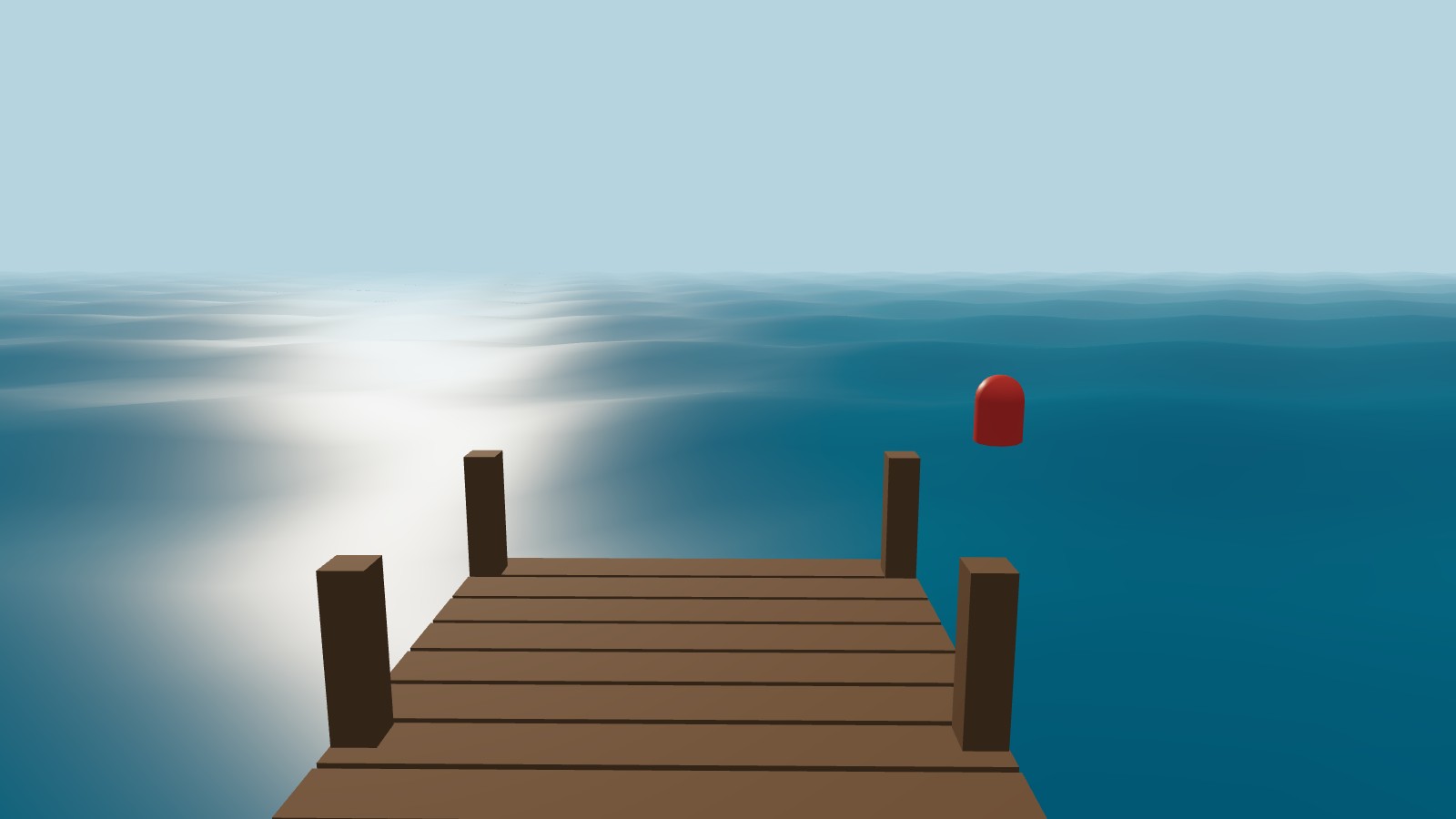
Build the pier
To run it locally, save the example as pier.html and open it from a local web server, such as python3 -m http.server 8080. It imports Three.js r184 from jsDelivr. Use http://localhost:8080/ for local testing and serve it over HTTPS when opening it on a separate headset.
One Three.js unit represents a metre. The deck is 0.6 m above still water. The headset camera sits inside a rig at deck height, so the local-floor reference space puts the tracked eye height above that deck. The desktop view uses its own camera and looks out over the buoy.
<!doctype html>
<html lang="en">
<head>
  <meta charset="utf-8">
  <meta name="viewport" content="width=device-width, initial-scale=1">
  <title>Pier in WebXR</title>
  <style>
    body { margin: 0; font: 1rem system-ui, sans-serif; }
    canvas { display: block; }
    aside { position: fixed; inset: auto 1rem 1rem; color: white; }
    button, p { width: fit-content; padding: .6rem; }
    p { margin: .35rem 0 0; background: #152c36; }
  </style>
  <script type="importmap">
    { "imports": {
      "three": "https://cdn.jsdelivr.net/npm/three@0.184.0/build/three.module.js"
    } }
  </script>
</head>
<body>
  <aside>
    <button type="button" id="vr" hidden>Enter VR</button>
    <p id="status" role="status">Desktop view</p>
  </aside>
  <script type="module">
    import * as THREE from "three";

    const renderer = new THREE.WebGLRenderer({ antialias: true });
    renderer.setPixelRatio(Math.min(devicePixelRatio, 1.5));
    renderer.toneMapping = THREE.ACESFilmicToneMapping;
    renderer.xr.enabled = true;
    renderer.xr.setReferenceSpaceType("local-floor");
    document.body.prepend(renderer.domElement);

    const scene = new THREE.Scene();
    scene.background = new THREE.Color(0xb5d4df);
    scene.fog = new THREE.FogExp2(0xb5d4df, 0.023);
    scene.add(new THREE.HemisphereLight(0xe3f4ff, 0x314437, 1.9));
    const sun = new THREE.DirectionalLight(0xffecd3, 1.9);
    sun.position.set(-4, 4, -11);
    scene.add(sun);

    const deckY = 0.6;
    const rig = new THREE.Group();
    rig.position.set(0, deckY, 1.3);
    const headsetCamera = new THREE.PerspectiveCamera(55, 1, 0.08, 200);
    rig.add(headsetCamera);
    scene.add(rig);

    const desktopCamera = new THREE.PerspectiveCamera(48, 1, 0.08, 200);
    desktopCamera.position.set(0.22, deckY + 1.6, 2.5);
    desktopCamera.lookAt(0.1, 0.15, -9);

    const wood = new THREE.MeshStandardMaterial({ color: 0x806047, roughness: 0.89 });
    const plank = new THREE.BoxGeometry(2.2, 0.16, 0.25);
    for (let i = 0; i < 24; i++) {
      const board = new THREE.Mesh(plank, wood);
      board.position.set(0, deckY - 0.08, 4.5 - i * 0.28);
      scene.add(board);
    }

    const post = new THREE.BoxGeometry(0.15, 2.2, 0.15);
    for (const x of [-1.02, 1.02]) {
      for (const z of [-1.87, -0.3, 1.3, 2.9]) {
        const pole = new THREE.Mesh(post, wood);
        pole.position.set(x, 0.1, z);
        scene.add(pole);
      }
    }

    const water = new THREE.PlaneGeometry(144, 144, 96, 96);
    water.rotateX(-Math.PI / 2);
    const vertices = water.attributes.position;
    vertices.setUsage(THREE.DynamicDrawUsage);
    const waterMaterial = new THREE.MeshStandardMaterial({
      color: 0x176d84, roughness: 0.44
    });
    scene.add(new THREE.Mesh(water, waterMaterial));

    const buoy = new THREE.Mesh(
      new THREE.CapsuleGeometry(0.27, 0.55, 6, 12),
      new THREE.MeshStandardMaterial({ color: 0xdb4934, roughness: 0.38 })
    );
    buoy.position.set(3.1, 0, -7.5);
    scene.add(buoy);

    function waveHeight(x, z, seconds) {
      return 0.17 * Math.sin(0.84 * z - 1.8 * seconds)
        + 0.085 * Math.sin(1.1 * x + 0.64 * z - 2.3 * seconds);
    }

    function resize() {
      if (renderer.xr.isPresenting) return;
      renderer.setSize(innerWidth, innerHeight);
      desktopCamera.aspect = innerWidth / innerHeight;
      desktopCamera.updateProjectionMatrix();
    }
    window.addEventListener("resize", resize);
    renderer.xr.addEventListener("sessionend", resize);
    resize();

    let elapsed = 0;
    let previous = null;
    renderer.setAnimationLoop((ms) => {
      if (previous !== null) {
        elapsed += THREE.MathUtils.clamp((ms - previous) / 1000, 0, 0.05);
      }
      previous = ms;
      for (let i = 0; i < vertices.count; i++) {
        vertices.setY(i, waveHeight(vertices.getX(i), vertices.getZ(i), elapsed));
      }
      vertices.needsUpdate = true;
      water.computeVertexNormals();
      buoy.position.y = waveHeight(buoy.position.x, buoy.position.z, elapsed) + 0.17;
      const camera = renderer.xr.isPresenting ? headsetCamera : desktopCamera;
      renderer.render(scene, camera);
    });

    const button = document.querySelector("#vr");
    const status = document.querySelector("#status");
    let session;
    button.addEventListener("click", async () => {
      button.disabled = true;
      try {
        if (session) {
          await session.end();
          return;
        }
        session = await navigator.xr.requestSession("immersive-vr", {
          requiredFeatures: ["local-floor"]
        });
        session.addEventListener("end", () => {
          session = null;
          button.textContent = "Enter VR";
          status.textContent = "Desktop view";
        }, { once: true });
        await renderer.xr.setSession(session);
        button.textContent = "Exit VR";
        status.textContent = "VR active";
      } catch {
        await session?.end().catch(() => {});
        status.textContent = "Couldn’t start VR. Desktop view is still available.";
      } finally {
        button.disabled = false;
      }
    });

    try {
      button.hidden = !await navigator.xr?.isSessionSupported("immersive-vr");
    } catch {
      status.textContent = "Desktop view. VR is unavailable here.";
    }
  </script>
</body>
</html>
Keep both eyes in sync
Move the water once in setAnimationLoop(). Three.js draws the immersive views from that same scene state. If you advance the water from a per-view render callback, the two eyes can see different wave positions. The buoy also samples the same waveHeight() function as the mesh.
The headset handles head motion and sets each eye’s projection. Leave the headset camera’s orientation to WebXR and attach any later teleporting controls to the rig. Serve the example as a top-level page when testing. If you put it in a cross-origin iframe, the parent must permit xr-spatial-tracking. Three.js WebXRManager reference · WebXR permissions policy
Using Tidewater
Use the plain Three.js surface here for the headset view and Tidewater’s ocean for a desktop version of the experience. Keep the pier, coastline and water level consistent between the two. The same input terrain can also drive Tidewater’s shoreline depth field. Shoreline guide · Tidewater beach demo
Tidewater 1.6.0 uses node materials and its runtime requires Three.js WebGPURenderer. That renderer’s XR manager in r184 requires its WebGL 2 backend. If you’re evaluating Tidewater in a headset, createRenderer({ forceWebGL: true }) selects that backend. Test the scene in both eyes on the target headset before shipping, especially planar reflections and effects that sample scene depth or colour. Begin with quality: "low", dynamicResolution: false and ocean: { reflector: false }. A stable desktop frame leaves the stereo result and the headset’s frame rate unverified. Three.js r184 XR source · Tidewater runtime options